Refinishing & service work
Quote a sand and finish without inventing a product.
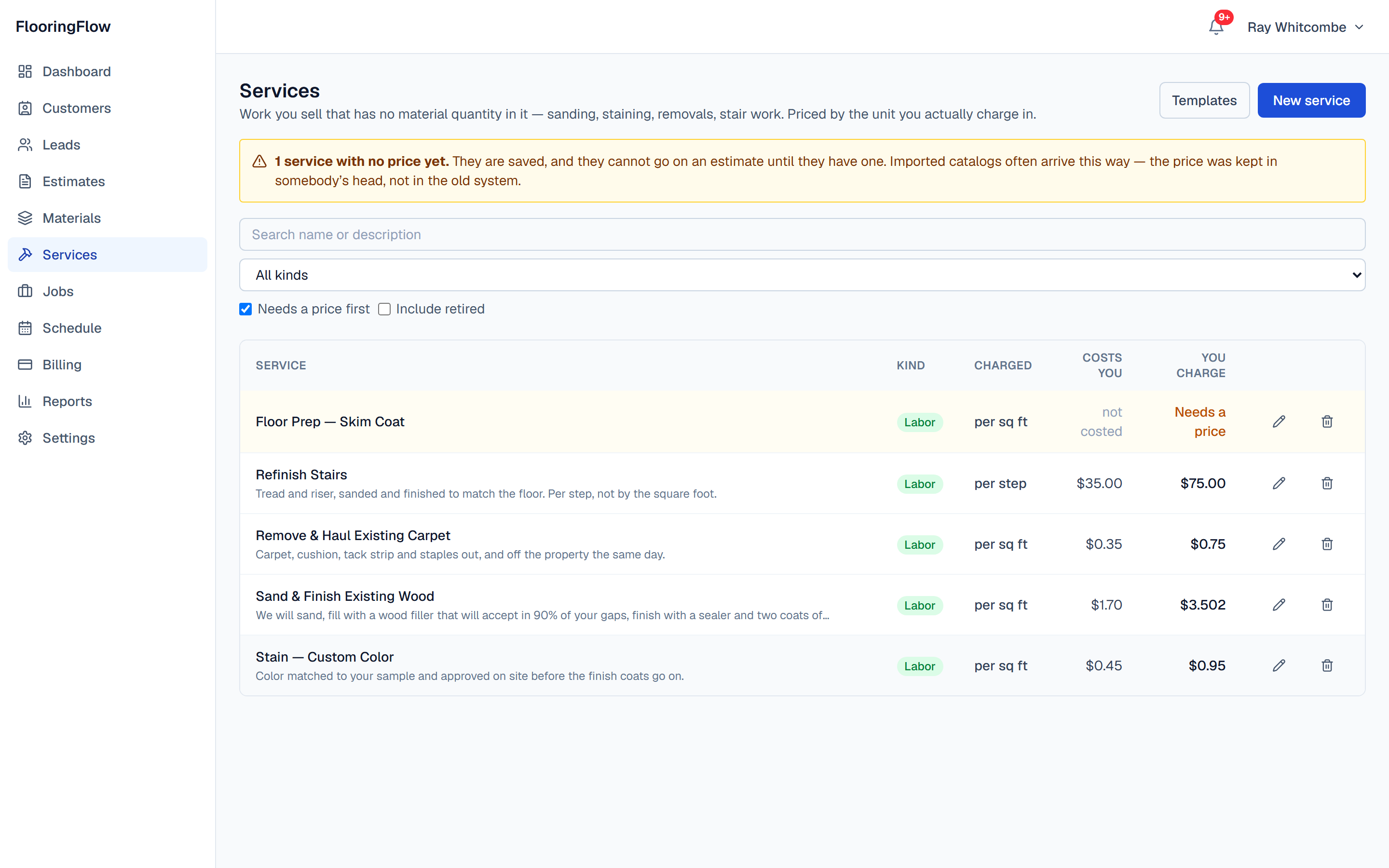
Not every job has a floor being delivered to it. Price sanding, staining, stair work, tear-out and prep in the unit you actually charge in, type the square footage, and the quote is written — no material to pick, no takeoff to run.
Your price list
A rate, a unit, and what you promise for it.
Each service holds what it costs you, what you charge, and the paragraph the customer reads under that line on the quote — the sentence that settles an argument eight weeks later about whether staining was in the number.
- Per square footSand and finish, stain, skim coat, carpet tear-out
- Per linear footBase and shoe, feature strip, transitions
- Per stepStair refinishing — tread and riser, never by the square foot
- EachA call-out, a move-out, a flight of stairs as one number
- Per square yardIf that is how you have always written it
There is no “flat” unit, deliberately. A flat fee is one of something, so it is priced as one Each — and it stays a number you can multiply if the job turns out to be two.
Why this is its own thing, and not a material with no box
Flooring software mostly assumes you are selling a floor. A lot of this trade is selling work on a floor that is already there.
Sanding a floor has no geometry to count
A takeoff engine runs on the shape of a product: carton coverage, roll width, stick length. That is what turns an area into something you can order. Refinishing has none of it — there is nothing to deliver and nothing to cut. Push it into a material catalog anyway and you end up inventing a coverage so the engine will accept it, then quietly quoting cartons of sanding.
So services are priced, not quantified
A service carries a rate and the unit you charge in, and that is the whole of it. Per square foot for sand and finish, per step for stairs, per linear foot for base, each for a flat call-out. You type how much there is and the line is priced. Nothing is derived, because there is nothing to derive.
The same quote holds both kinds of work
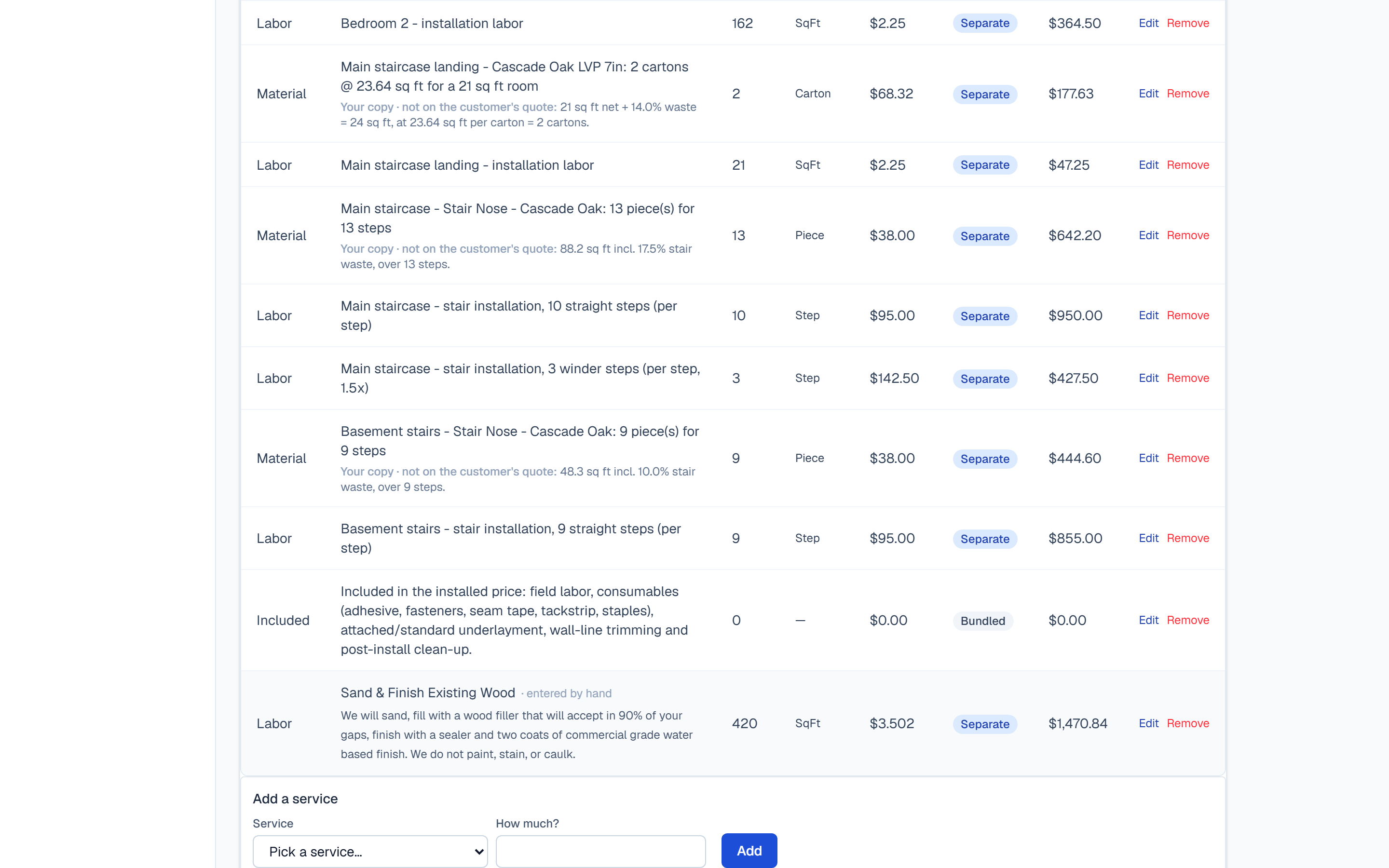
Most of these jobs are mixed: new floor going into the bedrooms, the hall and stairs refinished in place. Product lines come off the takeoff, service lines you type, and they land in one table, one subtotal, one deposit. Your crew's work order picks up the service and the scope you wrote with it.
A service with no price cannot reach a customer
An unpriced service is kept and lifted to the top of the list, not quoted at $0.00. That rule came from a real price list we imported: 277 of its 594 rows arrived carrying zero because the old system had no way to say "nobody has set this yet". A zero and an unknown are different things, and only one of them is safe to put in front of somebody.
The short way round
Give it a square footage and go.
You do not have to measure a house room by room to send a quote. Pick the service, type how much of it there is, and the priced line appears before you commit to it. That is the whole gesture, and for a straightforward refinish it is the entire estimate.
When a job does need the detail — new material going down, carpet to be cut, stairs counted — the room-by-room takeoff is sitting right there on the same estimate, and the two kinds of line end up in the same subtotal.
New — Templates
The set of lines you sell every time, saved once.
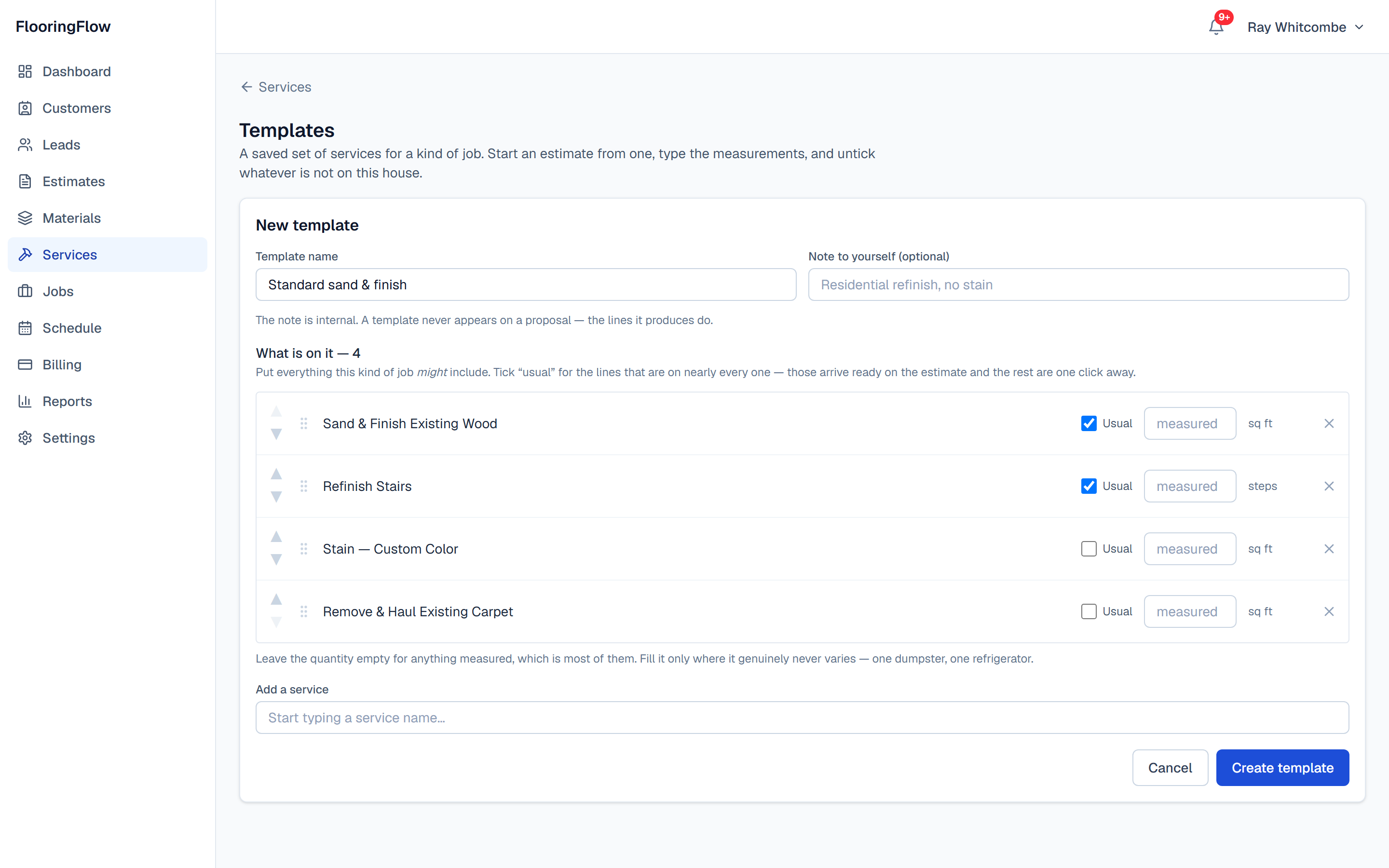
If you came off a system where an estimate starts as a saved template and you type a square footage, that habit is worth keeping. Build the template once, start a quote from it, and the lines you mark as usual arrive already ticked.
Put everything that kind of job mightinclude on it. A template is a superset you delete down to the house in front of you — which is faster than building one up from nothing, and is how the contractors we watched actually work.
Coming off something else
Your history comes with you.
The reason people stay on software they have outgrown is seven years of customers and quotes they cannot face retyping. So we load it. Not a sample — the contractor we did this for most recently arrived with 5,130 contacts and 6,345 estimates going back to 2017, and all of it is in his account, searchable, with the line items on every quote.
Nothing is re-priced on the way in. A quote you sent in 2019 keeps the figure you sent, down to the cent, even where it does not match what our engine would compute from the same lines today. It is a record of what you told a customer, and a migration that quietly corrects your own arithmetic has destroyed the only thing that made it worth keeping.
Dead leads land archived rather than dropped, so they are out of your working list and still there when you search a name. And the load is repeatable: running it twice does not give you two of anything, which is what makes it safe to do a dry run first and then do it properly.
Your price list
A spreadsheet, in the app, by you. It says what each column was read as before anything is written, and applies all of it or none.
Customers and quotes
Loaded with you on a setup call, from an export of your old system. We show you the plan before anything is written.
Not jobs, invoices or payments
Your books stay where they are. Quotes carry across; the money already collected against them does not, and we would rather say so now than have you find out in month two.
New — Trading names
Two names, one office, one login.
Plenty of shops run residential under one name and commercial under another. That does not mean two accounts, two subscriptions and two places to look for a customer — it means a quote knows which name it goes out under.
Each name carries its own address, phone and license number, and the proposal prints that one. In a number of states the license on a residential contract has to be the license of the party contracting, so this is not a logo question. Leave a field empty and it falls back to your company’s own, which means fixing a phone number once fixes it everywhere.
Your reporting still covers the whole business, because it is one business. And if you trade under a single name you will never see this feature — there is no setting to switch off.
What you get
- Your own price list of work: sanding, finishing, staining, prep, removals, stair work
- What it costs you and what you charge, kept side by side, so margin is a fact and not a guess
- Rates to four decimals — $3.502 a square foot stays $3.502
- Rounding once, on the line total, never on the rate
- A scope paragraph per service that prints under the line on the customer's quote
- Labor, material, or both — the form asks only for the halves that apply
- Services and products on one estimate, in one subtotal, tax and deposit
- Services carried onto the crew's work order with the scope attached
- Templates: a saved set of services for a kind of job, loaded onto a quote with the usual lines already ticked
- Import your price list from a spreadsheet — it says what each column was read as before anything is written, and applies all of it or none
- Your own terms on the proposal — switch ours off, reword them, or add your own
- Your customers and quotes loaded from your old system on a setup call — nothing re-priced on the way in
- More than one trading name, each with its own address, phone and license number on the proposal
- Estimator-and-up sees your cost and margin; a crew member never sees a price
Not yet
Said plainly, because finding out after you have moved is worse than knowing now.
PDF, blueprint or CAD takeoff
You type dimensions, rectangle by rectangle, the way you write them on a measure sheet. Nothing here reads a plan, and there is no drawing canvas.
A field app that writes the quote
The phone measures the house and can price it in the driveway at your own rates, but the office still builds and sends the proposal. Nothing is written to a quote from site.
Put your sand and finish rate in and quote something.
Free to start, no card, no sales call. One service and a square footage is a working quote.