Everything you need to run your flooring business — nothing you don't.
Two quantity engines, picked by the material: carton counts for hard surface with every waste percentage sourced, and a drawn cut layout for carpet and sheet vinyl. Measured on site with a laser, priced at the office.
Room-by-Room Takeoff
NewEnter your rooms and get a carton count you can order from — with every waste percentage showing where it came from.
- Two engines, picked by the material: cartons for hard surface, a cut layout for roll goods
- Hardwood, laminate, LVP/LVT and tile — anything sold by the carton
- Waste calculated from area, pattern, material geometry, room complexity and install method — not one number you type in
- Every component shows its source and whether it's manufacturer-published or a field rule of thumb
- Carton counts always round up, then get re-checked against the adjusted area before you see them
- Stairs priced per step, straight and winder separately — never by the square foot
- Trim counted by the stick, because that's how you buy it
- Pre-1980s resilient tear-out stops for an asbestos assessment instead of quoting a number
- L-shapes, bays, closets and hallways as sections of one room
- Voids come off the area; obstructions like an island are recorded and deliberately do not
Not yet: No PDF or blueprint takeoff, and no drawing canvas — you enter dimensions, rectangle by rectangle.
How the takeoff works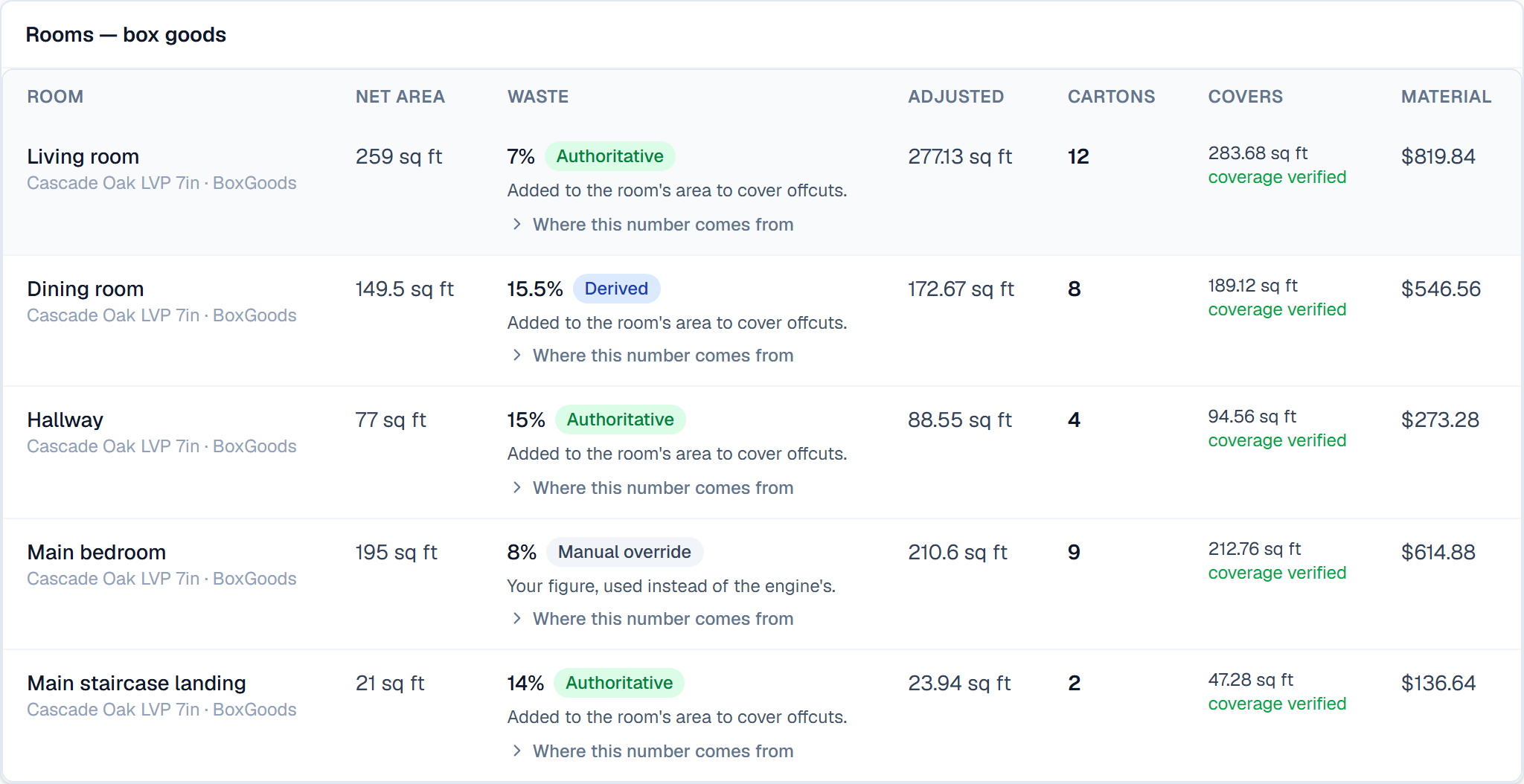
Carpet & Roll Goods
NewA real cut layout on your roll width, with the seams placed and drawn — not a waste percentage.
- Cut list, seam plan and a to-scale diagram you can print and hand to the cutter
- Nap held to one direction per space, per CRI 105 §5.2 — no piece is rotated to nest it
- Pattern repeat applied per cut; stretch and trim allowances per cut
- Two valid cut plans worked out and ranked — fewest T-seams first, material last
- The plan not taken is costed beside it, in seams and in dollars
- Carpet cushion laid out separately on its own roll width, at right angles to the carpet seams
- Waste is reported as a RESULT of the layout, and labelled as one
Not yet: Doorway positions are not recorded, so seams are placed against the room's rectangles rather than against openings. The diagram prints the seam offsets so you can walk them before cutting.
How carpet takeoff works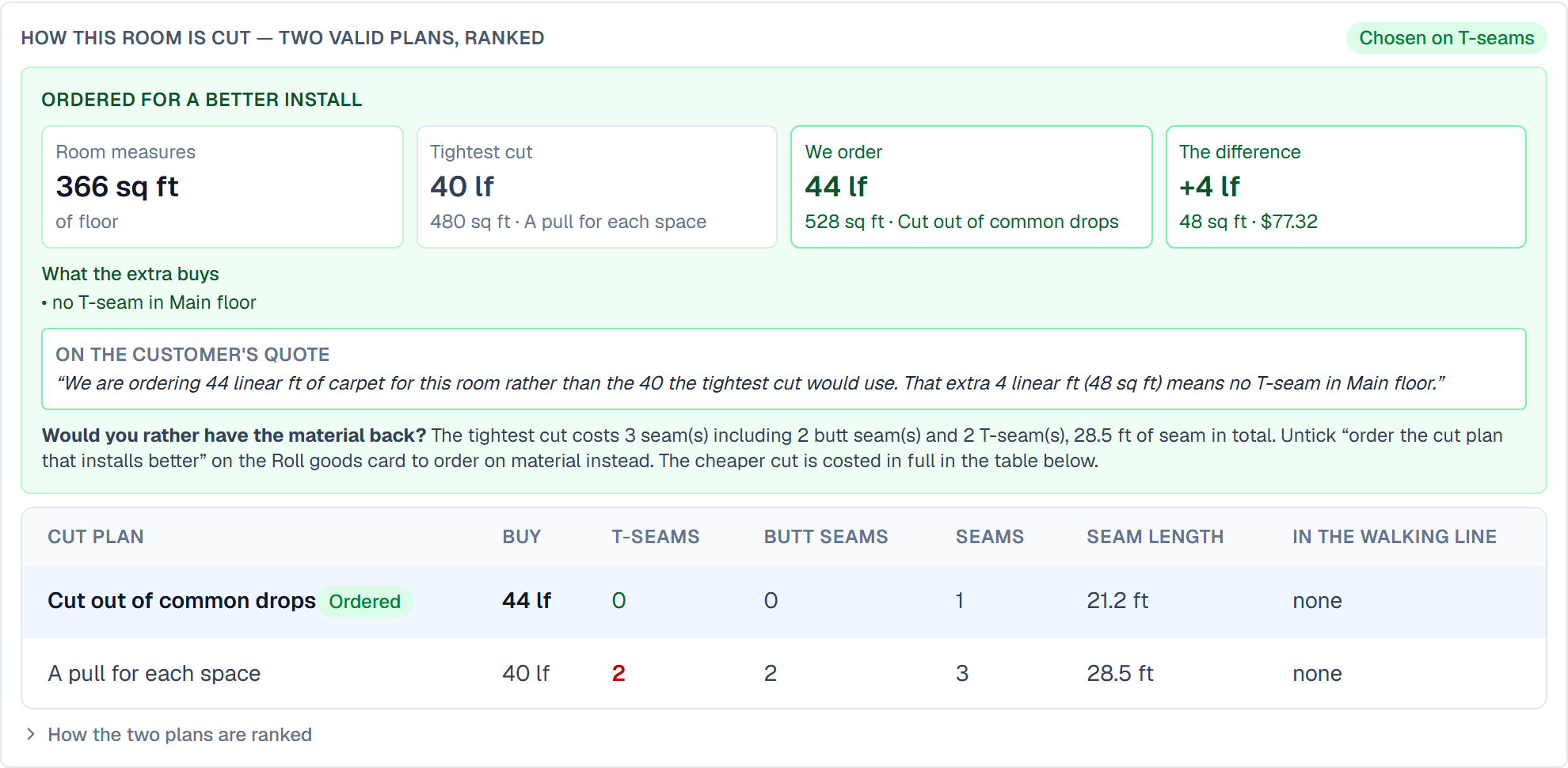
Proposals & E-Signature
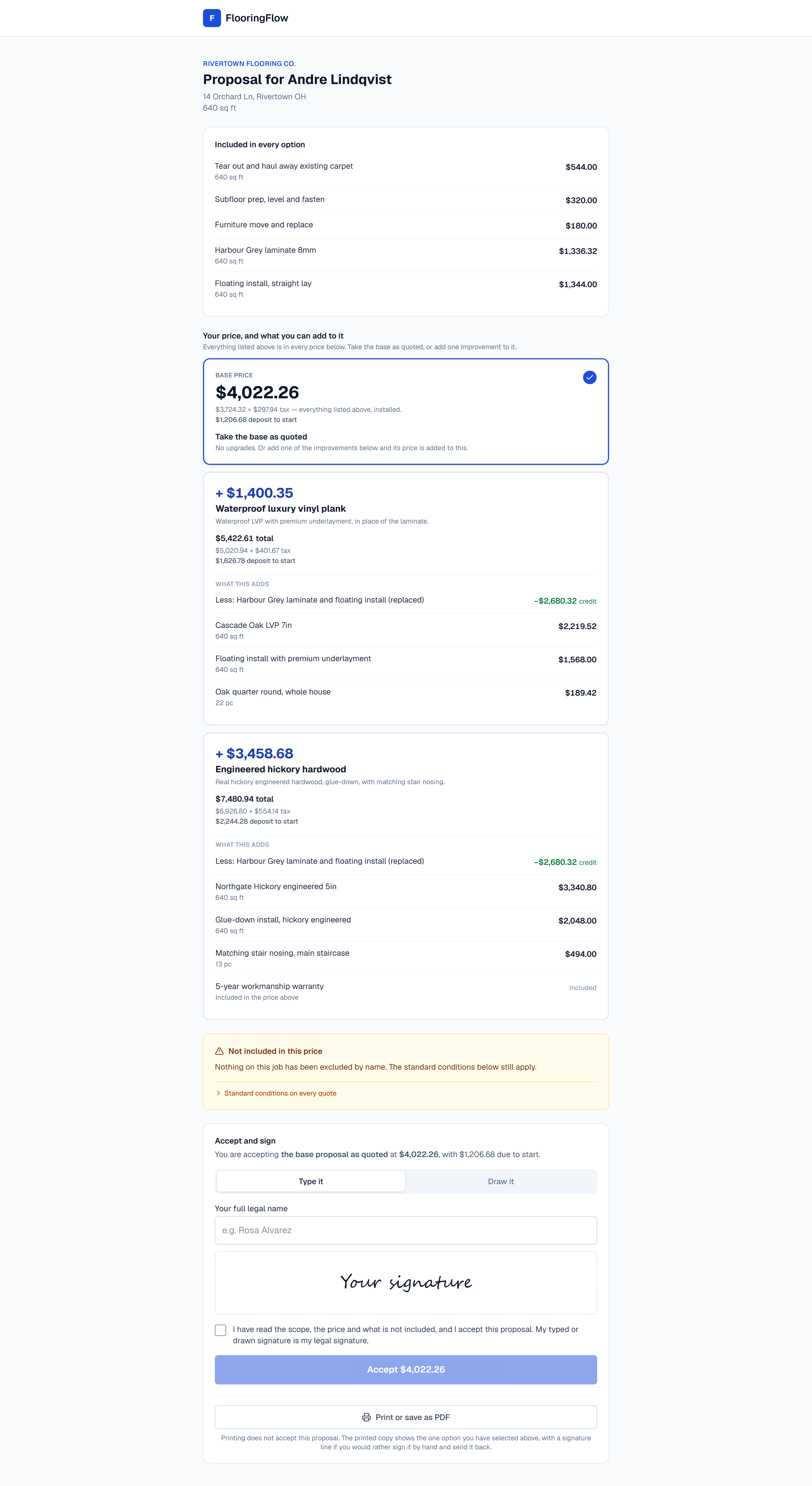
NewSend a link. Your customer sees one price, adds any upgrade they want, and signs it at the kitchen table.
- One base price, then priced upgrades — a heavier pad, a better material — each showing what it adds and its own honest total
- Typed or drawn signature — no app for them to download
- Signing creates the job and cuts the deposit and final invoices automatically
- Deposits run through the Stripe checkout you already use
- Exclusions print on every proposal, taken near-verbatim from CRI 105
- The signed copy is sealed — later edits to the estimate can't rewrite what they agreed to
Material Catalog
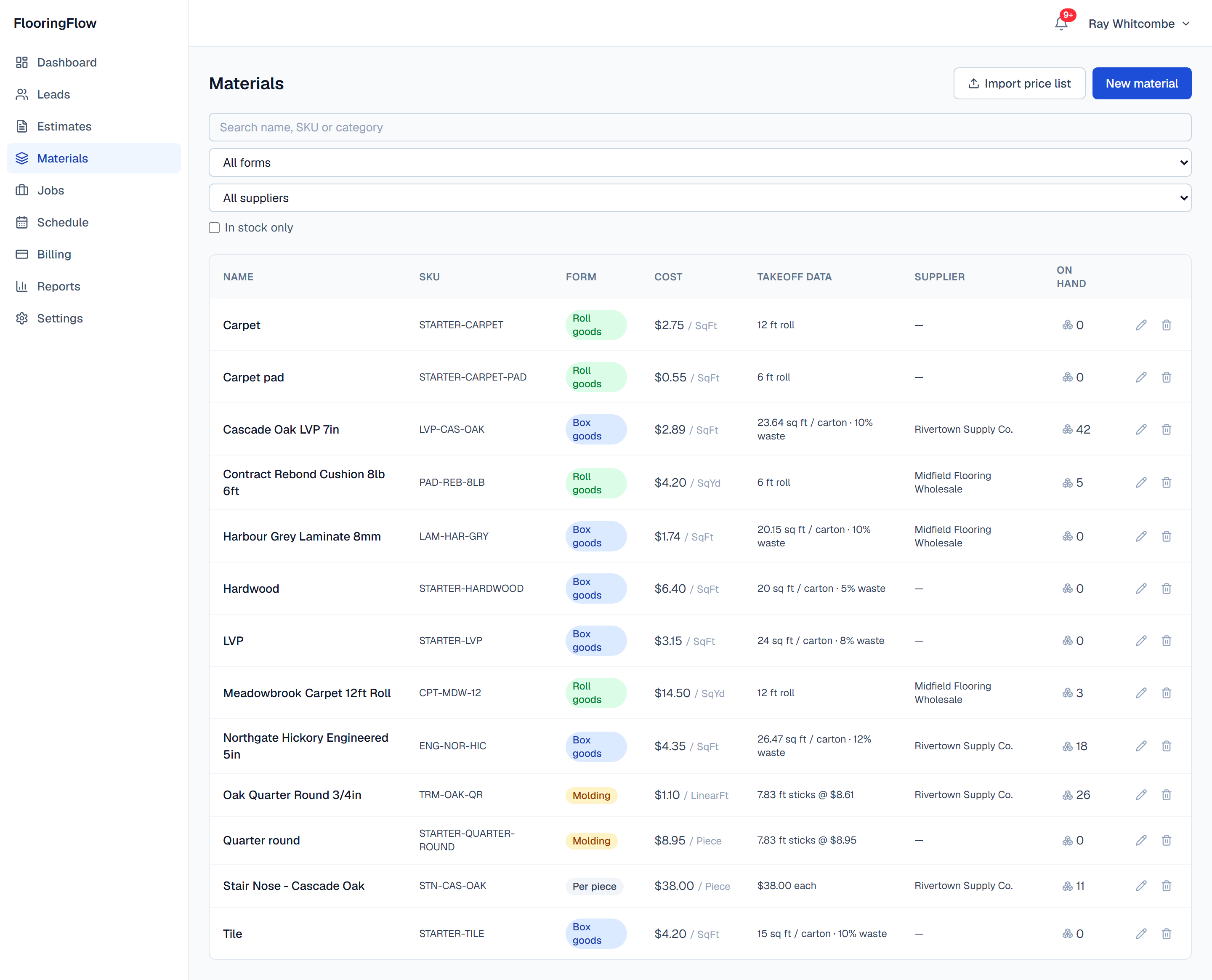
NewYour supplier's price list, imported once, driving every quote after that.
- CSV import with a preview that shows every row it would create or change before it writes anything
- All-or-nothing commit — a half-applied price list is worse than a rejected one
- Supplier column names auto-detected and correctable
- SKU is the match key, so re-importing an updated list updates rather than duplicates
- Each product type asks for what it actually needs: carton coverage, roll width, or stick length and price per piece
- Stock counts with manual corrections and an in-stock filter
Field Measurement & Laser
NewMeasure the house on a phone or iPad with a Bluetooth laser, with no signal, and lose nothing when the app dies.
- Pair a Bluetooth laser and the reading lands in the field you are standing in
- Leica DISTO confirmed in the field; Bosch BLE models supported but not yet tested
- Every keystroke is written to the device — not every room, every character
- Tapping Add Room saves it before you type anything: there's no unsaved room
- Reopening puts you back on the exact screen and field you were in, no prompt
- Stairs are counted per step and never given an area
- Sections for L-shapes, bays and closets; voids and obstructions kept apart
- It syncs to the office as a takeoff — nobody types the house in twice
Not yet: The device holds the only copy of a measure's structure. It syncs up to the office, but it does not come back down onto a replacement phone — sync before you hand the old one in.
Which lasers work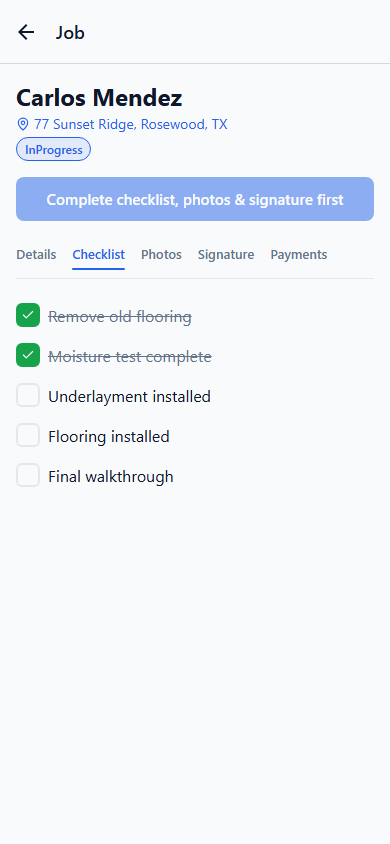
Price It in the Driveway
NewGive a number before you leave, at your company's own rates — not a guess, and not the supplier's buy price.
- Your markup, labor rate, stair charge and tax, set once at the office and applied on the phone
- Records what is coming up — the old floor, its age, how much of it, and the linear feet of base
- The tear-out is in the number, because the person who can see it is the one holding the phone
- Pre-1980 vinyl or black cutback adhesive flags for an asbestos assessment before anyone quotes it
- Refuses to show a total it cannot stand behind, rather than quietly leaving labor out
- Nothing is written to the quote from the field — the office still sends it
Not yet: An estimator sees your margin on their phone to do this, so it is Owner, Admin and Estimator only — a crew member is never shown a price. The office builds and sends the actual proposal.
How the pricing is setEstimates
Put together a professional estimate before you've left the driveway.
- Line items for materials, labor, and markup
- Per-piece, per-step and per-square-foot lines side by side
- Send a polished proposal in one click
Jobs & Scheduling
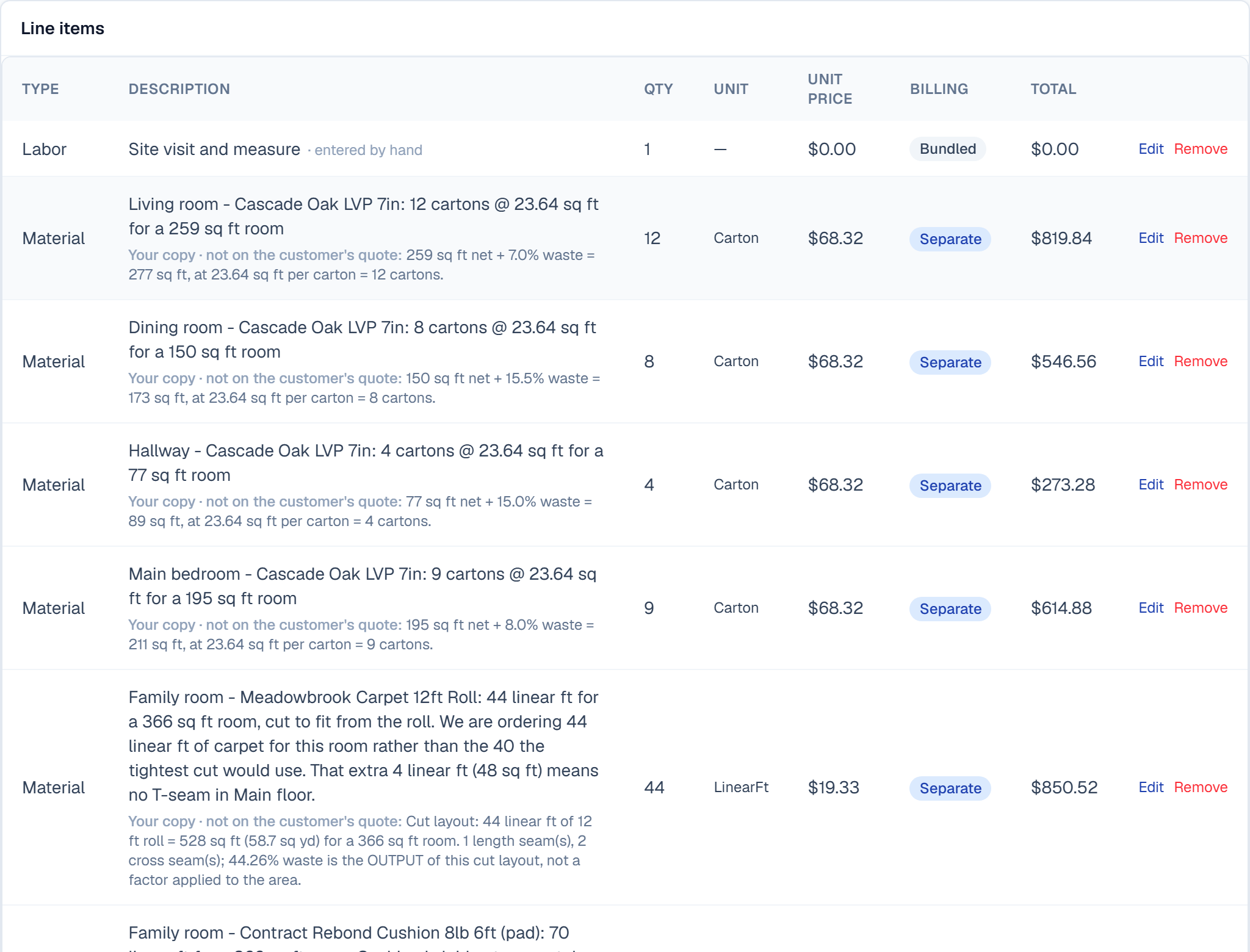
Know where every crew is, every day, at a glance.
- Crew calendar for the whole team
- Drag-and-drop rescheduling
- Real-time updates when plans change
Installer App
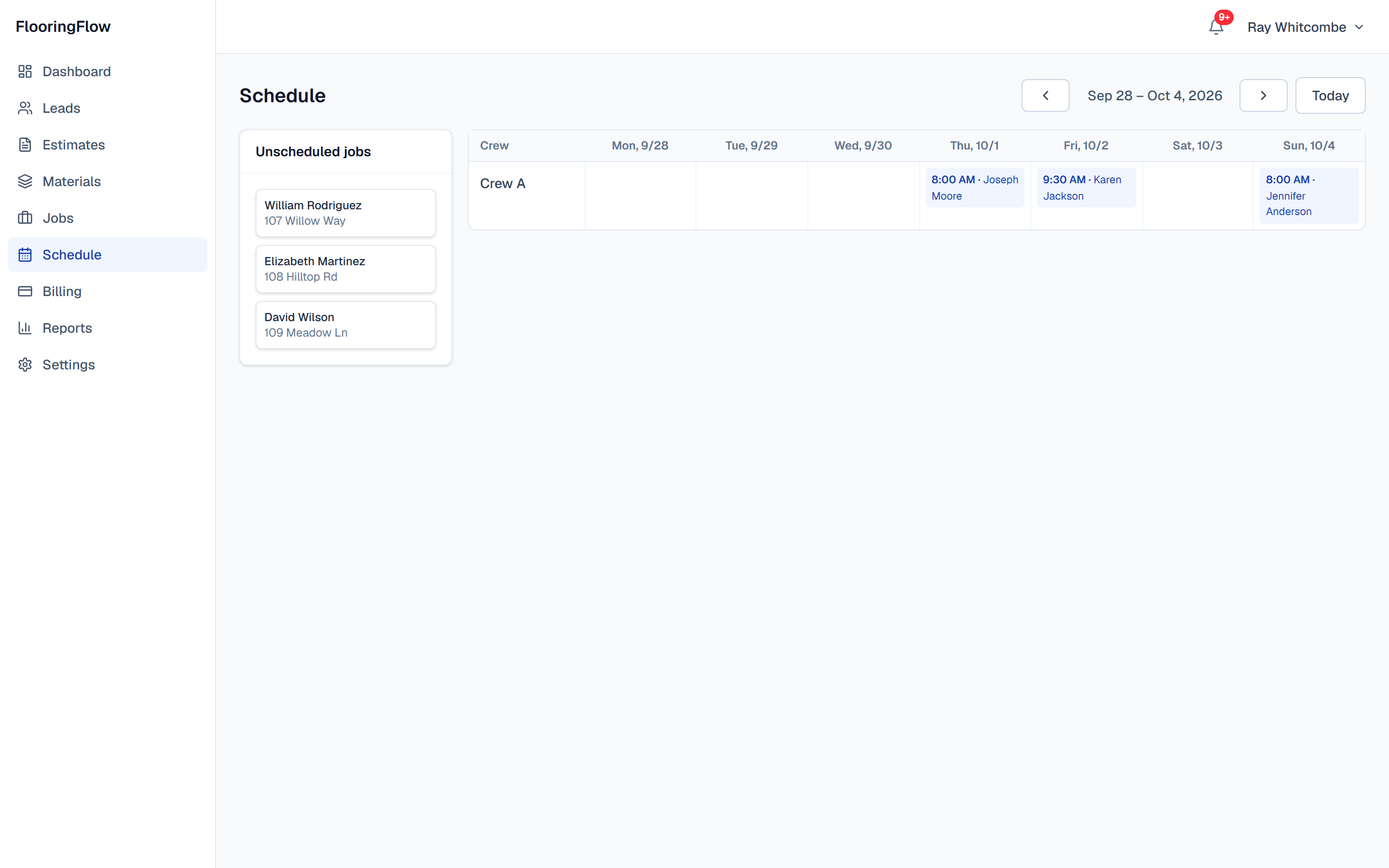
Give your crew what they need, right from their phone.
- Daily schedule for every installer
- Photos, checklists, and signatures on-site
- Offline support for job sites with weak signal


Billing & Payments
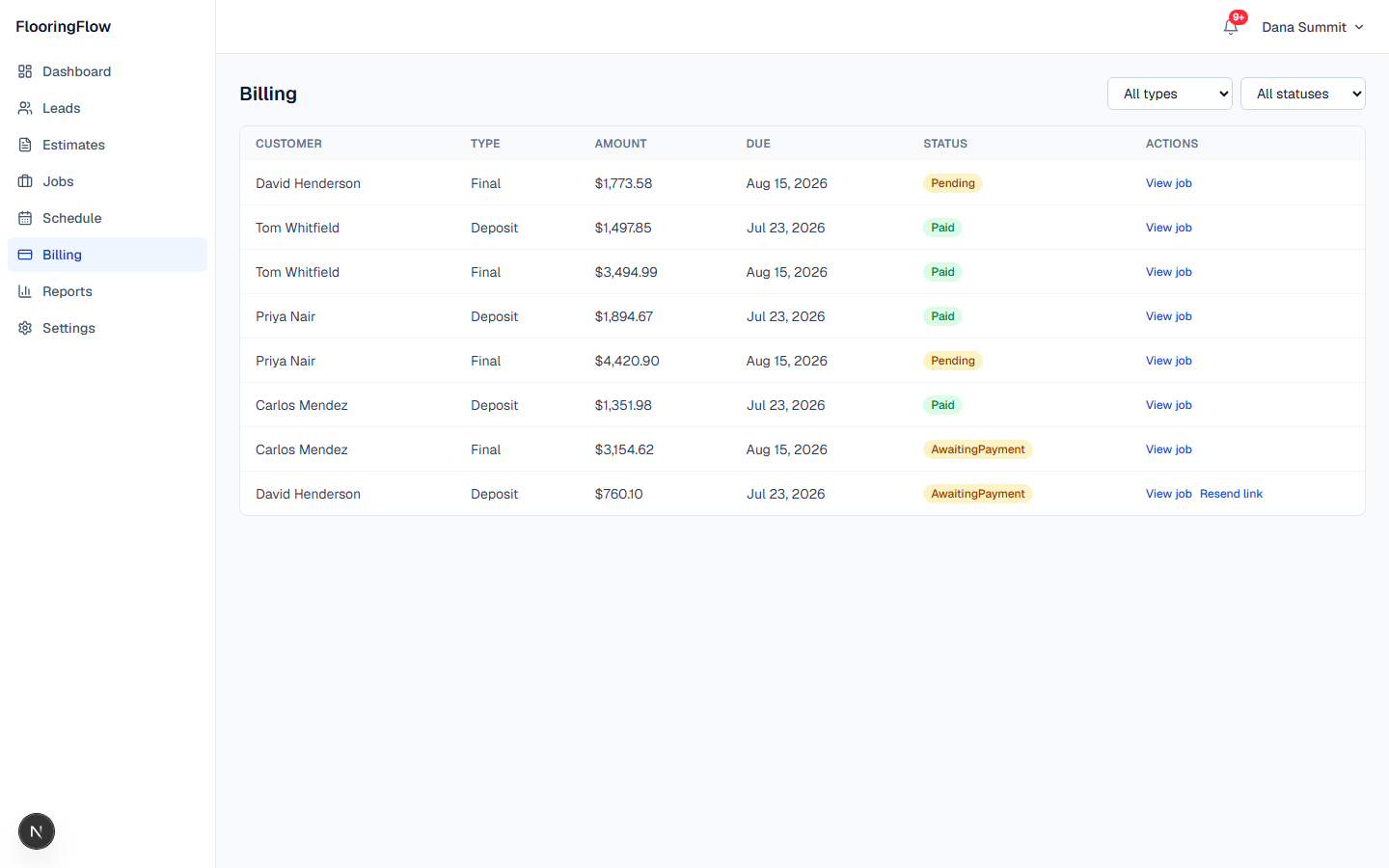
Get paid faster without chasing checks.
- Stripe checkout built right in
- Securely stored cards for repeat customers
- Job status updates automatically on payment
Set Up in One Sitting
NewThe reason most contractors never finish adopting software is the evening it costs. This asks you the handful of questions that make a quote correct, and nothing else.
- Guided from signup: your details, one real product, what you charge, how you get paid
- Skip anything that is not critical and it waits for you — it does not start over
- It checks the DATA, not a checkbox: delete the material you added and the step reopens
- Tells you plainly which step is the one standing between you and a first quote
- On Team, two hours with a human instead — we set it up with you
File Storage
Every photo and document, organized by job.
- Unlimited photos (within plan limits)
- Secure hosting on Amazon S3
- Attach files directly to jobs and estimates
See it all in action
Book a quick walkthrough and we'll show you how FlooringFlow fits your crew.